Conference AV Planning in Ireland: The Technical Brief to Build Before You Request Quotes
Every section of the conference AV technical brief explained (venue, audience, programme, microphones, screens, streaming and schedule), with a copy-paste template to send with your quote requests.
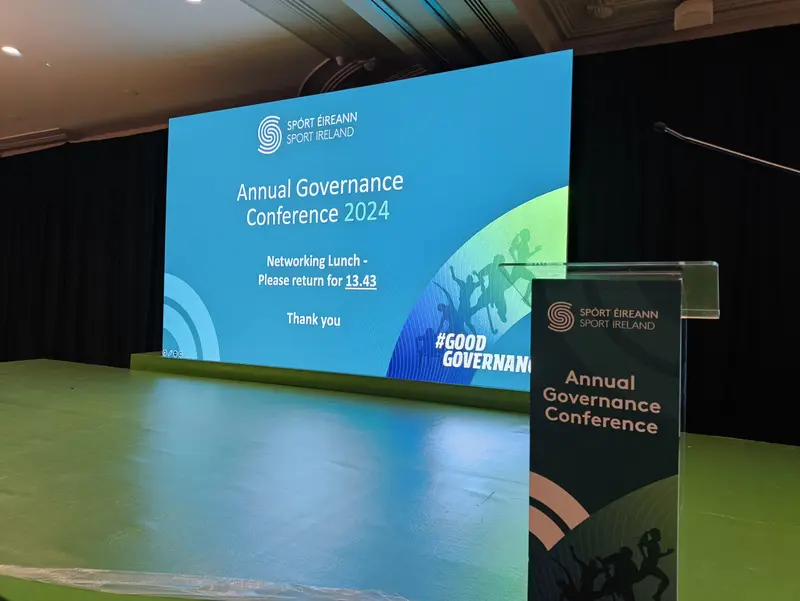
Conference AV planning usually goes wrong the same way: quotes are requested before anyone has written down what the event needs. Three suppliers guess at three different events, the prices come back impossible to compare, and the gaps (Q&A microphones, streaming bandwidth, the rehearsal slot) surface in the room on the day.
The fix is a technical brief: one page covering the venue, the room, the audience, the programme, the microphone count, the screens, the streaming decision, power and the schedule. This guide works through each section and ends with a copy-paste template to send with every quote request. It takes an hour to build.
Why the brief comes before the quotes
An AV quote is an answer, and vague questions get padded answers. Priced on "sound and screens for about 200 people", one supplier carries contingency for whatever you might mean and another strips the spec to look cheap. A written brief pins the event down.
Send a complete brief to our conference AV hire team and the reply comes back specific (a specification, a crew plan, one figure) instead of a week of follow-up questions.
The venue and the room
The Room
Width, depth and ceiling height drive more of the AV specification than some may think. Depth sets how big the screens must be for the back row. Ceiling height caps screen size, stage height and anything rigged. If the venue can't supply dimensions, pace the room out. Rough numbers beat blanks.
Power
Ask the venue what power the room actually has: wall sockets, dedicated circuits, or three-phase. A modest sound-and-screens setup runs happily on ordinary sockets. Bigger rigs and streaming positions need that answered before the specification is final, not on the morning.
Access and the load-in
How kit gets in decides how long the build takes. Loading dock or front steps? Lift or stairs? How far do vehicles park from the room? Access belongs in the brief because crew hours are priced from it.
What the venue already has
Many venues carry something already, a house PA, a projector, sometimes installed lighting. List it, even roughly. We integrate with existing house rigs nationwide.
Working with venues we know well helps us shape the right package around what the event actually needs, while making the most of the venue's existing infrastructure. O'Reilly Hall at UCD is a good example. We know the venue well and can integrate with its in-house projection systems where appropriate, giving clients a complete AV setup without bringing in equipment they don't need. It can also be a more cost-effective approach when budget is a consideration.
The audience: size, layout and access needs
Audience size drives PA coverage and screen size, and it decides how Q&A works. Forty people could possibly share two roving microphones. Four hundred need a plan. State the number, even as a range.
Layout matters nearly as much. Theatre rows, cabaret rounds, classroom tables and boardroom squares each change sightlines and where screens and speakers stand. If it's undecided, say which options are in play.
Accessibility belongs here rather than as an afterthought: hearing assistance, captioning for the room or the stream, clear sightlines for interpreters. Put what you know in the brief so it gets specified and priced.
The programme: the running order drives the kit list
A day of keynotes needs a different rig from a day of panels. List the session formats (keynote, panel, Q&A, awards, breakouts) and the kit list follows. Every panellist needs a microphone. An awards segment needs handhelds and walk-up music. Each breakout room needs its own screen and sound.
Two more programme items earn their place. Rehearsal slots: when speakers can stand on stage with their slides, the single best predictor of a smooth morning. And a named decision-maker, the person who calls it when the schedule slips.
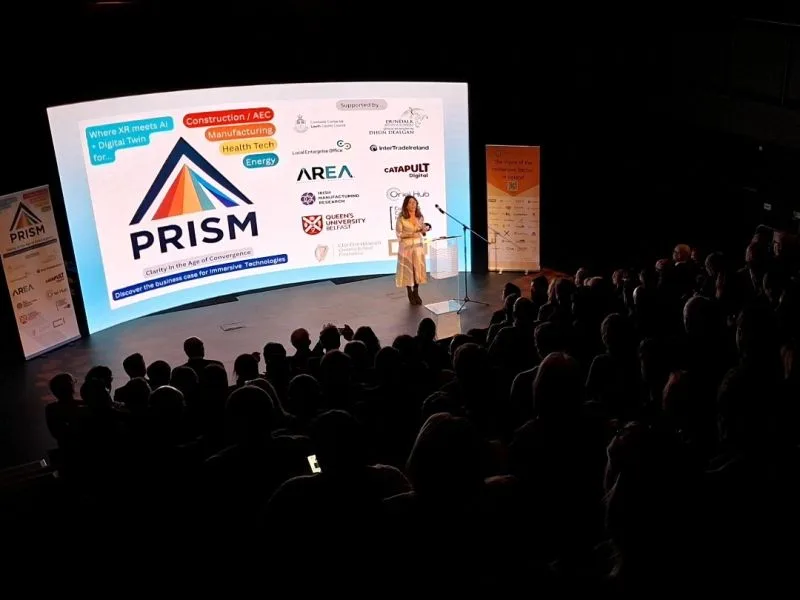
Audio: settle the microphone count
Speech intelligibility is the one non-negotiable, if the room can't hear clearly, nothing else matters. The brief's job is a realistic microphone count, and it falls straight out of the programme:
| Session format | Microphones to brief | Notes |
|---|---|---|
| Keynote from a lectern | Lectern mic, plus a handheld spare | The spare saves the day more often than it should |
| Presenter who moves around | Headset or lavalier | Hands stay free for slides and props |
| Panel of four plus moderator | Five mics | Lavaliers,Headset or handhelds, one each, no passing |
| Audience Q&A | At least Two roving handhelds | With runners, whatever the room size |
| Awards segment | Two handhelds | Presenter and winners, plus playback for stings |
Add the sessions up, then note the biggest simultaneous case: "largest session is a panel of five plus Q&A, seven live channels." Channel count is rarely our constraint (our Shure and Sennheiser wireless rigs support 30+ simultaneous channels across lectern, handheld, headset and lavalier), but an accurate count gets the day priced and rehearsed properly. Add a line for foldback monitors if presenters need to hear videos or remote contributors on stage.
Video: screens everyone can read
State what the audience must read from the back row (slides, video, a live camera feed) and where the room's daylight comes from. Bright, high-windowed rooms are hostile to projection, which is usually what tips a room towards an LED wall rather than a projector.
Individual screens from 4" to 75" on floor stands or wall brackets suit boardrooms, breakouts and repeater positions down a long room. LED walls start around 6m² for conferences and scale up. Ours run Absen P2.6 and Unilumin panels at pixel pitches from 1.9mm to 3.9mm, which stay sharp at conference viewing distances. For rooms deep enough that faces vanish, note whether you want IMAG (live camera close-ups of the speaker put up on screen).
Two content lines complete the section: the slide aspect ratio (16:9 unless someone says otherwise, and someone should say), and whether speakers get a confidence monitor, the screen at their feet that stops them turning their back on the audience.
Streaming and recording: decide early
"Streaming: yes or no" is the single line with the biggest budget consequence, because yes adds cameras, an encoder, an operator and a dependency on the venue's internet. Deciding in the final week is how streams end up running on hope.
If the answer is yes, the brief needs three more lines. The platform: we stream to YouTube, Vimeo, Teams, Zoom or a custom RTMP endpoint, and it shapes the workflow. The bandwidth: a minimum 10Mbps dedicated upload, our working figure as of August 2026, with "dedicated" meaning reserved for the stream rather than delegate wifi. We run broadcast-grade encoders with redundant internet (wired plus bonded cellular) because venue connections fail at venue-sized moments. The audience: a public stream, a private feed for one overseas office, or a recording for later are three different jobs.
Remote presenters are a workflow of their own: rehearsals, foldback and handovers. Say how many are joining. Recording is the cheaper yes, but specify the deliverable: a full-day file or per-session cuts, and who edits them.
Lighting, staging and the set
Even a modest conference deserves three lines here. Lighting: faces matter double on camera, so if the event is filmed or streamed, say so. Staging: note the stage size and height you expect if the venue's platform is small, low or missing. Backdrop: pipe and drape covers a rear wall that's a fire door and a radiator.
The schedule: access times and rehearsal slots
When can kit load in? When must the room be clear? When is the room quiet enough for a soundcheck, and when do speakers rehearse? Crew time is priced from those answers, so pin them down with the venue rather than guessing.
Two scheduling habits pay for themselves. An evening-before build when the morning is tight, and protected quiet time in the room. A soundcheck fought over the sponsors' breakfast serves nobody.
Budget: what a complete quote should include
State a budget range. Suppliers design to a number honestly given, and it filters out mismatched specifications early. For scale: a straightforward single-room conference setup with sound and screens starts from around €1,500 with us, as of August 2026. Our quotes are all-inclusive: equipment, delivery, installation, on-site operation and breakdown, with no hidden fees.
Make every quote state what happens on the day: who is in the room, from when until when, and what they operate. That one demand exposes more gaps than any other.
Common gaps that surface on show day
- Access times assumed, never confirmed with the venue
- Q&A microphones missing from the count because Q&A was "informal"
- No rehearsal slot, so the first run-through happens live
- Slides arriving in 4:3 for a 16:9 screen nobody told the designers about
- Nobody named to make the call when the schedule slips
The copy-paste conference AV briefing template
Copy the block below into a document or an email, fill in every line, and send the same version to every supplier. "Not known yet" is a fine answer. A deleted line isn't.
```text
CONFERENCE AV TECHNICAL BRIEF
Event: .................................. Date(s): ....................
Organisation: ........................... Prepared by: ................
VENUE AND ROOM
Venue and room name: ....................................................
Room dimensions (width x depth x ceiling height): .......................
Room layout (theatre / cabaret / classroom / boardroom): ................
House AV available (PA, projector, lighting): ...........................
Known constraints (pillars, daylight, low ceiling, noise limits): .......
AUDIENCE
Expected audience size: .................................................
Q&A from the floor? (yes / no): .........................................
Accessibility needs (hearing assistance, captioning, other): ............
PROGRAMME
Start / finish times: ...................................................
Session formats (keynote / panel / Q&A / awards / breakouts): ...........
Number of speakers across the day: ......................................
Breakout rooms needing AV (how many, what for): .........................
Running order attached? (yes / draft / not yet): ........................
AUDIO
Microphone count and types (lectern / handheld / headset / lavalier): ...
Largest simultaneous session (e.g. panel of 5 + Q&A): ...................
Playback audio (videos, walk-in music)? (yes / no): .....................
VIDEO AND SCREENS
Screens (projector / LED wall / large screens / advise us): .............
Content shown (slides / video / live camera - IMAG): ....................
Slide aspect ratio (16:9 unless stated): ................................
Confidence monitor for speakers? (yes / no): ............................
STREAMING AND RECORDING
Streaming? (yes / no): ..................................................
Platform (Teams / Zoom / YouTube / other): ..............................
Remote presenters joining? (how many): ..................................
Recording (full day / per session / none): ..............................
Venue internet: dedicated upload speed, if known: .......................
POWER
Power in the room (sockets / circuits / unknown): .......................
Venue technical contact: ................................................
SCHEDULE
Load-in access (date and time): .........................................
Rehearsal / speaker-check slots: ........................................
Doors open: .............................................................
Room must be clear by: ..................................................
BUDGET AND DECISIONS
Budget range for AV: ....................................................
Decision-maker on the day (name / mobile): ..............................
Quote needed by: ........................................................
```
If half the lines come back blank, that's useful too. It's the exact list of questions for your venue.
Frequently asked questions
How far in advance should conference AV be planned?
Start the brief when the venue is booked. Six to eight weeks out is comfortable for a single-room conference, longer for streamed or multi-room events. Later is still workable. The brief just gets built faster.
What if I cannot answer the technical lines?
Send it anyway, gaps included. The venue can answer half of it and a supplier fills in the rest. Site visits are free for confirmed bookings, and one walk-through usually closes every venue question.
The venue says AV is covered. Do I still need a brief?
Yes, a shorter one. House rigs vary enormously, and the brief records what actually exists so anything extra integrates with the house system rather than duplicating it.
Is this overkill for a small conference?
The template takes under an hour for a 60-person event, and small events lose mornings to exactly the same gaps. Shrink the answers, not the questions.
Put the brief to work
Fill in the template, blanks and all, and send it to us. We'll sense-check it, flag what only your venue can answer, and turn it into a single all-inclusive figure. Owner-led, 20+ years of production across Ireland, and happy to be measured against any quote your brief brings back. Send us your brief.